What Is Robotic Automation? A Practical Beginner’s Guide
By Laura Bennett• 15 mins read
Published:
, Updated:
Learn how robotic automation works, where robots fit, and how to plan deployment, assess costs, validate safety and measure real operating results.
A robot can repeat a movement thousands of times. Turning that movement into useful work requires much more: materials must arrive in the right place, tools must handle them correctly, software must coordinate the process, and people need a reliable way to manage exceptions.
Robotic automation brings those elements together. It uses physical robots within a wider workflow to perform tasks such as loading machines, packing products, transporting supplies or inspecting components. The objective is a repeatable result that improves how the operation runs.
This guide continues RobotsBeat’s introductions to robot basics, robotics fundamentals and autonomous robots. It explains how to choose an application, understand the complete system and judge whether a deployment is working.
Key Takeaways
Robotic automation combines a robot with tooling, sensing, software and a defined workflow, so success depends on the complete system rather than the machine alone.
A useful first project has a measurable operational problem, manageable variation and clear acceptance criteria, including what happens when the robot cannot complete a task.
Evaluate deployment using accepted output, human interventions, safety validation and total operating costs, rather than a demonstration’s fastest cycle or the robot’s purchase price.
What Is Robotic Automation?
Robotic automation is the use of programmable physical machines to carry out part or all of a process. A system may follow a tightly defined sequence, respond to sensor readings or use AI to interpret more variable inputs. Advanced AI is optional; a well-designed conventional robot can automate a valuable task.
Consider a machine shop. An arm picks a metal blank from a tray, places it in a machining fixture, waits for the machine to finish and transfers the completed component to an output tray. The robot performs the handling, while other equipment controls machining and verifies that each step can proceed.
Automation is the broader category. A conveyor controlled by a sensor can automate transport without being a robot. Robotics is the discipline of building and controlling robots. Robotic automation describes putting those machines to work inside an operating process. A3’s terminology overview provides further background on these distinctions.
Robotic process automation, or RPA, refers to software that performs digital tasks, such as moving information between business applications. Despite the name, RPA does not require a physical robot. An organization can use both: software handles an order, while a robot moves the resulting package.
How a Robotic Automation System Works
Think of a deployment as a chain of coordinated decisions. A task is requested, the system checks its conditions, the robot acts, and sensors or process equipment confirm the outcome. Only then should the workflow move to its next step.
Robot: An arm, mobile platform or other mechanism supplies movement within its payload, reach and operating limits.
Tooling: A gripper, suction cup, screwdriver or process tool makes that movement useful. Fixtures hold parts in predictable positions.
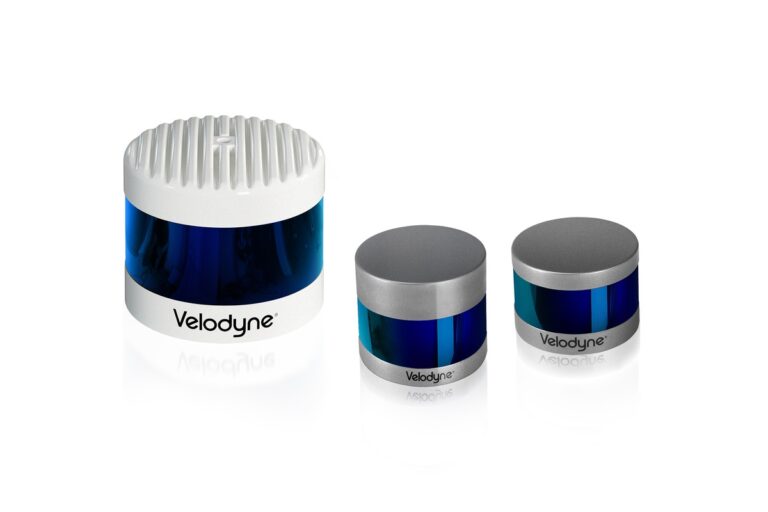
Sensing: Cameras, position sensors and other instruments provide information about the task and its environment.
Control: The robot controller manages motion, while a programmable logic controller, or PLC, may coordinate surrounding machines and signals.
Workflow software: Production or warehouse systems assign work, identify items and record completion.
Safeguarding and operator interface: Protective systems manage hazards, while controls and displays help trained staff understand status and respond to faults.
The interfaces between these layers matter. If a warehouse robot delivers a tote but the receiving station cannot confirm its identity, transport is complete while the business task remains unfinished. If a gripper closes but the part slips, a movement command has succeeded while the physical operation has failed.
NIST’s integration research highlights communication between robots, sensors and other devices as a barrier to building useful systems. Buying compatible components helps, but the completed workflow still needs testing.
Main Types of Robotic Automation
Different robot designs solve different physical problems. Start with the task’s constraints rather than choosing the most visually impressive machine.
System
Typical role
Main planning question
Fixed robot arm
Welding, handling, assembly
Can it reach and manipulate every required part?
Collaborative robot
Shared-workspace applications
What safeguards does the complete application require?
Mobile robot
Moving goods between locations
Can transport and handoffs remain reliable under real traffic?
Mobile manipulator
Moving to a task and handling objects
How will navigation, positioning and manipulation be coordinated?
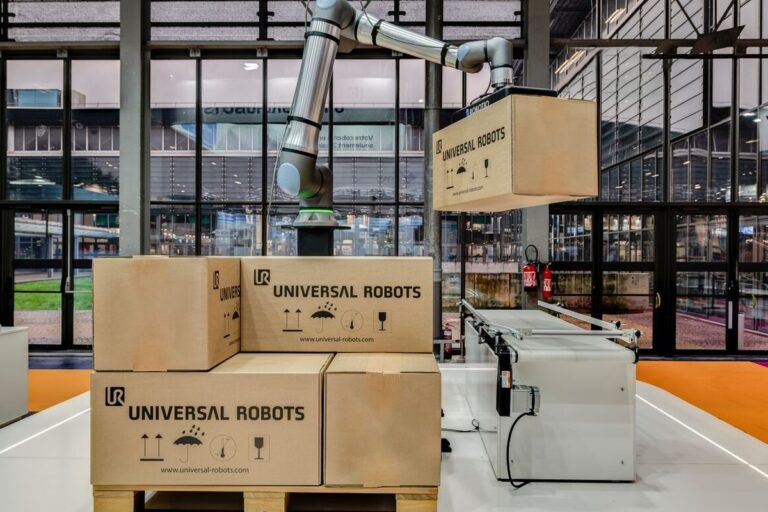
A collaborative robot, often called a cobot, is designed to support collaborative applications. That does not make every attached tool, carried object or operating speed appropriate for close human contact. The application determines the protective measures.
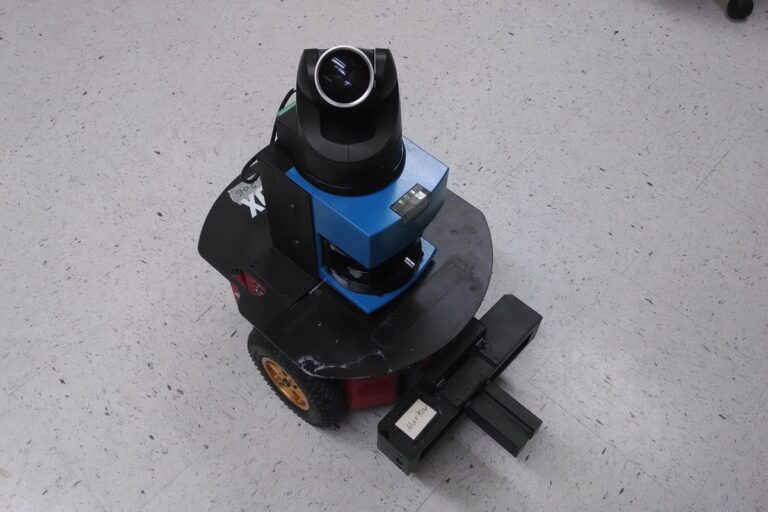
A mobile robot adds another set of constraints: aisle access, charging, docking, traffic and interactions with doors or lifts. A mobile manipulator combines these challenges with those of an arm. More capabilities can increase flexibility, but they also create more conditions to validate.
Where Robots Fit Into Everyday Operations
Machine tending: Loading and unloading production equipment can reduce repetitive handling and waiting. The system must coordinate with the machine, handle finished and unfinished parts, and identify a failed transfer.
Packaging and palletizing: Robots can place goods into boxes or stack cases. Packaging stiffness, surface texture, changing box sizes and pallet condition can affect handling. A repeatable box does not automatically mean a repeatable shipment.
Inspection: A robot can present a component to a camera or move a sensor around a product. The inspection method still needs to distinguish an acceptable part from a defect. Repeatable positioning alone does not prove inspection accuracy.
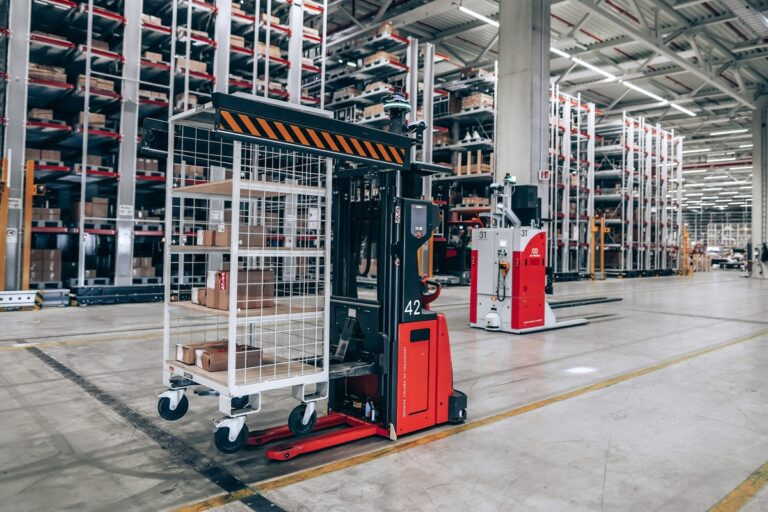
Internal logistics: Mobile systems carry goods between storage, production and dispatch. Their value depends on the receiving workflow as much as travel speed. A fleet that waits at occupied stations can create a queue instead of removing one.
Service operations: Cleaning or hospital supply transport can be automated within defined environments. Access restrictions, people, hygiene requirements and exception handling shape what the system can do independently.
Recent RobotsBeat coverage of fashion returns and warehouse automation illustrates the importance of product variation and integration. Those cases provide context; they are not a substitute for testing a different facility’s requirements.
Choosing a Good First Task
A useful first application has a clear problem and a manageable boundary. “Automate the factory” is difficult to test. “Move these components from this tray into this machine, across the actual product mix” can become an engineering requirement.
Observe the existing task before changing it. Record where inputs arrive, how operators identify them, which motions repeat and what causes delays. Include the work people do between obvious steps: straightening a tray, rejecting a damaged item or recognizing that the wrong batch has arrived.
NIST’s cobot integration guide offers methods for identifying promising workcells. A practical starting point is to compare the expected operational benefit with the difficulty of automating the task.
Volume: Is there enough recurring work to justify the system?
Variation: How much do size, weight, presentation and product condition change?
Consequence: What happens if the system drops an item or produces the wrong result?
Recovery: Can an exception be recognized and handled without disrupting the whole operation?
Ownership: Who will maintain the system and resolve problems on each shift?
Sometimes the best first change is a simpler fixture, clearer labeling or a revised material flow. Improving presentation can make later robotic handling easier. Adding a robot to a poorly understood process can merely repeat its weaknesses faster.
A Practical Deployment Roadmap
Define the baseline. Measure current accepted output, defects, waiting time, labor requirements and interruptions across representative shifts.
Write the operating requirements. Specify the actual product range, expected throughput, space, utilities and environmental conditions, including difficult inputs.
Agree on responsibilities. Identify who supplies tooling, machine interfaces, safeguards, software connections, training and service support.
Test feasibility. Use representative parts and conditions to establish that the robot and tool can perform the task before committing to a complete rollout.
Build and validate the pilot. Test the integrated workflow, protective functions, quality checks and recovery procedures in the intended application.
Accept against written criteria. Evaluate a sustained run with the agreed product mix, rather than selecting the best short demonstration.
Stabilize before scaling. Resolve recurring faults, document changes and confirm support capacity before copying the system to another line or site.
Define acceptance early. A throughput promise means little without agreement on the product mix, staffing, test duration, defect criteria and treatment of downtime. A supplier’s equipment test and the customer’s site acceptance should establish what each stage has actually demonstrated.
Operators and maintenance teams should help design the pilot. They know which tasks are awkward, which variations occur in practice and which fault messages would help them recover. Their involvement also reveals whether the proposed workflow simply moves manual work elsewhere.
A Machine-Tending Example, Step by Step
Imagine a workshop automating the loading of metal blanks into a machining center. This is an illustrative workflow, not a specification for operating a particular machine.
First, an input tray presents the correct blanks. The system identifies the product recipe and confirms that a part is available. A gripper picks it up, with an appropriate check that the transfer has succeeded.
Next, the robot and machine exchange signals establishing that loading can proceed. After placement, the fixture and machine confirm their required conditions before the machining cycle starts. Once machining finishes, the completed part is unloaded and placed in its designated location.
The difficult cases reveal whether the design is complete. What if a blank is upside down, the gripper cannot establish a hold, the output tray is full or the machine reports a fault? Each case needs an agreed response: retry within defined limits, divert the part, pause for assistance or stop the process.
A notification is useful only when it tells someone what happened and what action is required. “Load failed: no part detected” gives an operator more to work with than a generic alarm. Record the event so repeated failures can be traced to their cause.
Costs, Payback and the Complete Business Case
The robot’s quoted price is one part of the investment. Universal Robots’ cost overview also identifies installation, programming, peripherals, integration and safety-related changes as factors in deployment economics.
Ask for a complete scope covering tooling, fixtures, sensors, supporting equipment, software, commissioning, training and any facility changes. Then estimate recurring costs: maintenance, consumables, service contracts, software subscriptions, energy and the staff time needed to keep the system running.
A simple payback calculation divides the initial investment by the expected annual net cash benefit. It is a screening tool, not a complete investment appraisal. The following numbers are hypothetical and are not market prices or a forecast for a specific installation.
Illustrative assumption
Amount
Complete initial investment
$120,000
Annual cash benefits
$75,000
Annual incremental operating costs
$25,000
Annual net cash benefit
$50,000
Simple payback
2.4 years
Here, $120,000 divided by $50,000 produces a 2.4-year simple payback. If annual net benefit falls to $30,000, payback becomes four years. Both calculations assume steady annual benefits and exclude financing, taxes, discounting and a separate ramp-up period.
Distinguish freed capacity from cash savings. Moving an employee to another role may improve output or working conditions, but it does not automatically reduce payroll. Likewise, extra production creates financial value only if it can be sold or removes an identifiable cost. Avoid counting the same benefit twice.
Run a downside case with lower demand, slower ramp-up and more interventions. A project should still have a credible purpose when performance is less favorable than the demonstration.
Safety Applies to the Whole Application
A robot’s safety features do not, by themselves, establish that an application is safe. Tools, workpieces, adjacent machinery and human access all matter. A lightweight arm carrying a sharp object presents a different problem from the same arm moving an empty gripper.
OSHA’s robot safety guidance describes application risk assessment and protective measures. Assessment should consider normal operation and activities such as setup, maintenance and fault recovery. Qualified personnel need to determine and validate the safeguards for the actual installation.
Buying a cobot does not remove that responsibility. Depending on the assessed hazards, an application may need separation, protective devices or operating limits. Emergency stopping and hazardous-energy isolation serve different purposes; an emergency stop is not a substitute for appropriate maintenance isolation procedures.
Changes to a tool, product or operating sequence can change the hazards. Review the application when those conditions change, following the requirements that apply at the installation’s location.
Measuring Reliability Beyond a Demonstration
The most useful metric is often accepted output over a representative period. It captures what the operation can actually use, including the effects of pauses, rejects and recovery.
Accepted throughput: Good units or completed jobs per hour, using the agreed operating conditions.
First-pass success: The proportion completed correctly without rework or a second attempt.
Human interventions: How often assistance is needed, how long it takes and why it occurs.
Availability: Operating time divided by the clearly defined time the system was expected to be available.
Changeover time: Time needed to switch products, tooling or recipes and resume accepted production.
Cost per accepted result: Relevant operating costs divided by usable output over the same period.
Specify the denominator for every percentage. A success rate calculated only from easy items is not comparable with one measured across the entire product mix. Report exclusions, test duration and intervention rules alongside the result.
Separate robot motion time from the complete cycle. A fast arm may wait for a machine, an operator or an occupied destination. Optimize the limiting step in the workflow rather than assuming faster motion will improve end-to-end output.
Where AI Helps and Where It Adds Complexity
AI can help interpret images, recognize varied objects or select actions when a rigid sequence is insufficient. It is particularly relevant when the environment contains variation that is difficult to describe with a small set of rules.
However, a learned model does not remove the need for engineering limits and validation. A recognition system may work differently under changed lighting, packaging or camera placement. Test the actual range of inputs and define what happens when confidence is insufficient or the result cannot be verified.
For a fixed, repeatable task, conventional programming may be easier to maintain. The useful question is which approach meets the requirements with manageable complexity. An AI demonstration is evidence of a capability under its test conditions, not proof of reliable operation on every shift.
Connectivity also needs an operating plan. Decide who can change programs, how updates are approved, how backups are restored and what happens if an external service becomes unavailable. NIST’s workcell cybersecurity study examines how protective technologies can affect industrial system performance, reinforcing the need to test security and operations together.
Common Reasons Projects Underperform
The inputs are less consistent than expected. Real batches contain damaged packaging, shifted parts and unfamiliar variants. Include these conditions in feasibility testing rather than discovering them after commissioning.
The integration scope is incomplete. A robot may arrive before machine access, network interfaces, fixtures or receiving stations are ready. Assign ownership and acceptance criteria to each interface.
Exceptions require too much attention. A system that needs frequent manual rescue can absorb the time it was intended to release. Track intervention frequency and duration as operating costs.
The robot solves the wrong bottleneck. Automating one station may increase a queue at the next. Measure the complete process before selecting where to invest.
No one owns support after launch. Training, spare parts, service response and program backups are part of deployment. An installation is not complete when the commissioning team leaves; it needs a workable handover.
Building on the Robotics Fundamentals
Understanding robotic automation means following work through an entire system: from the arriving item to an accepted result, including every handoff and exception in between. The robot is an important component, but the operating process determines whether its capabilities create value.
Begin with a specific problem, measure the existing process and set requirements before selecting equipment. A modest task performed consistently can provide a stronger foundation than a broader demonstration whose performance has not yet been established.
Frequently Asked Questions
Does robotic automation require AI? No. Many useful applications rely on programmed motion and conventional sensors. AI becomes relevant when perception or decision-making must handle variation that simpler methods cannot manage adequately.
Can a small business use robotic automation? Yes, when the task, workload and support arrangements justify it. A narrowly scoped application can be more practical than a broad rollout. Compare the complete installation and operating costs with the expected benefit.
Are collaborative robots always safe without fencing? No. Protective measures depend on the application’s assessed hazards, including the tool, workpiece and surrounding equipment. Collaborative capabilities do not make every use inherently safe.
How long does deployment take? There is no universal timeline. A proven application with ready interfaces differs from a custom process with new tooling and extensive software integration. Request a milestone plan covering feasibility, commissioning, validation and acceptance.
Will a robot eliminate an entire job? It may automate selected tasks while leaving setup, inspection, exception handling and maintenance to people. Assess the full role and resulting staffing model instead of equating one robot with one worker.
Should a company buy, lease or use robotics as a service? Compare the alternatives over the same operating period and scope. Include service coverage, usage limits, tooling ownership, software fees, downtime responsibilities and exit costs. A lower initial payment does not necessarily mean a lower total cost.
What should the first pilot prove? That the complete workflow meets defined requirements under representative conditions, that its safeguards have been validated, and that staff can operate and recover it. Scale after those results are repeatable, with a documented support plan.
Tesla confirms production-quality Optimus robots are leaving Fremont’s high-volume lines, but Musk says a 20,000-per-week pace remains at least a year away.